Skip to content
English - Australia
  • There are no suggestions because the search field is empty.

How do I close/cancel my account?

Flexischools App

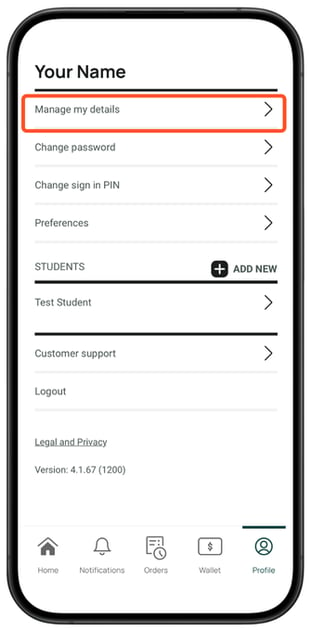
  1. Select the Profile icon from the bottom navigation bar. Then select Manage my details.
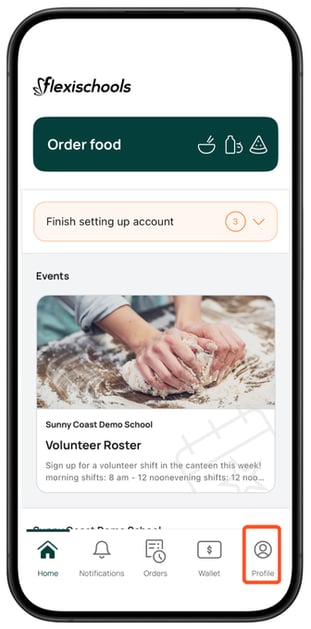
    Parent App Screenshots (Profile homeParent App Screenshots manage my details
  2. Scroll and select the red Close my Flexischools Account button. 
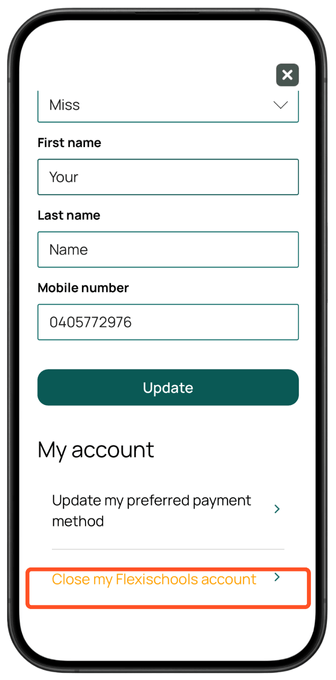
    Parent App Screenshots Close my Flexi aaccount

  3. You will be prompted to notify the school to process your balance refund


To close your account from the desktop site

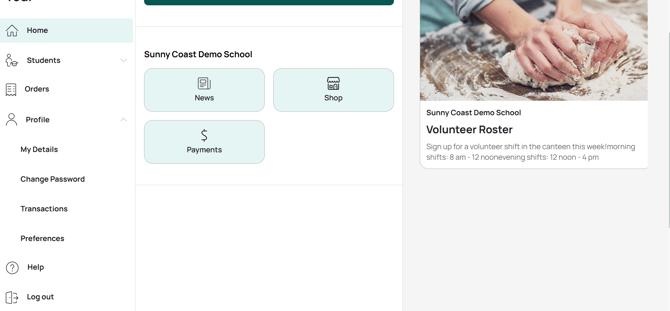
  1. Click on the Profile tab.
    Screenshot 2025-10-01 191403
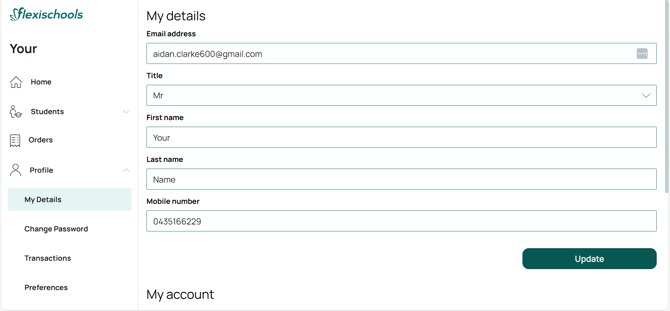
  2. select My Details.
    Screenshot 2025-10-01 191620
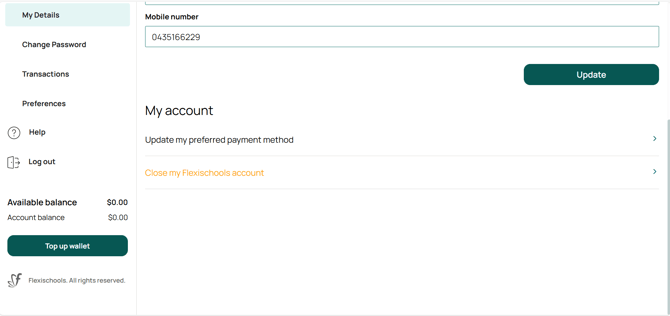
  3. Select the 'Close Account' button.
    Screenshot 2025-10-01 191735